Free to start

If you run a club, you need to be on PadelChat

Join free, get discovered by players, and start using the planning tools with no subscription at all. Then decide if and when you want to unlock the advanced tools for payments, CRM, coaching, tournaments, and team management.

Business Manager in use8
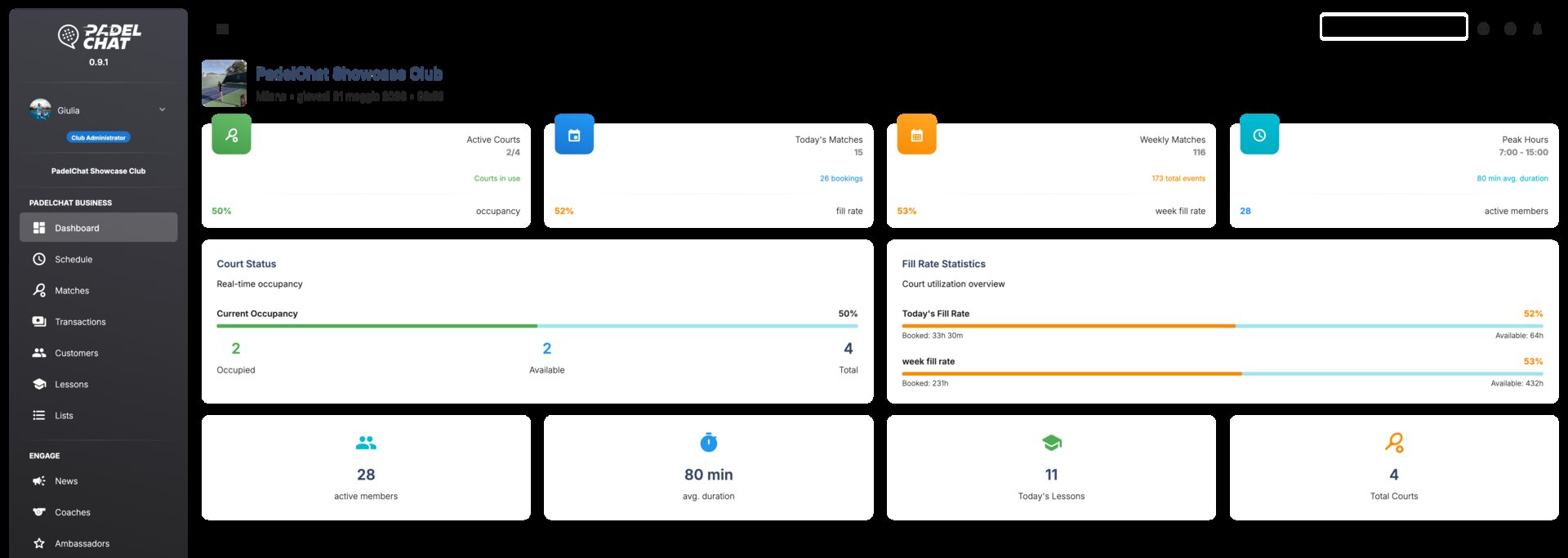
Operations dashboard - Dashboard overview
Operations dashboard
Dashboard overview
Bookings and calendar - Court schedule
Bookings and calendar
Court schedule
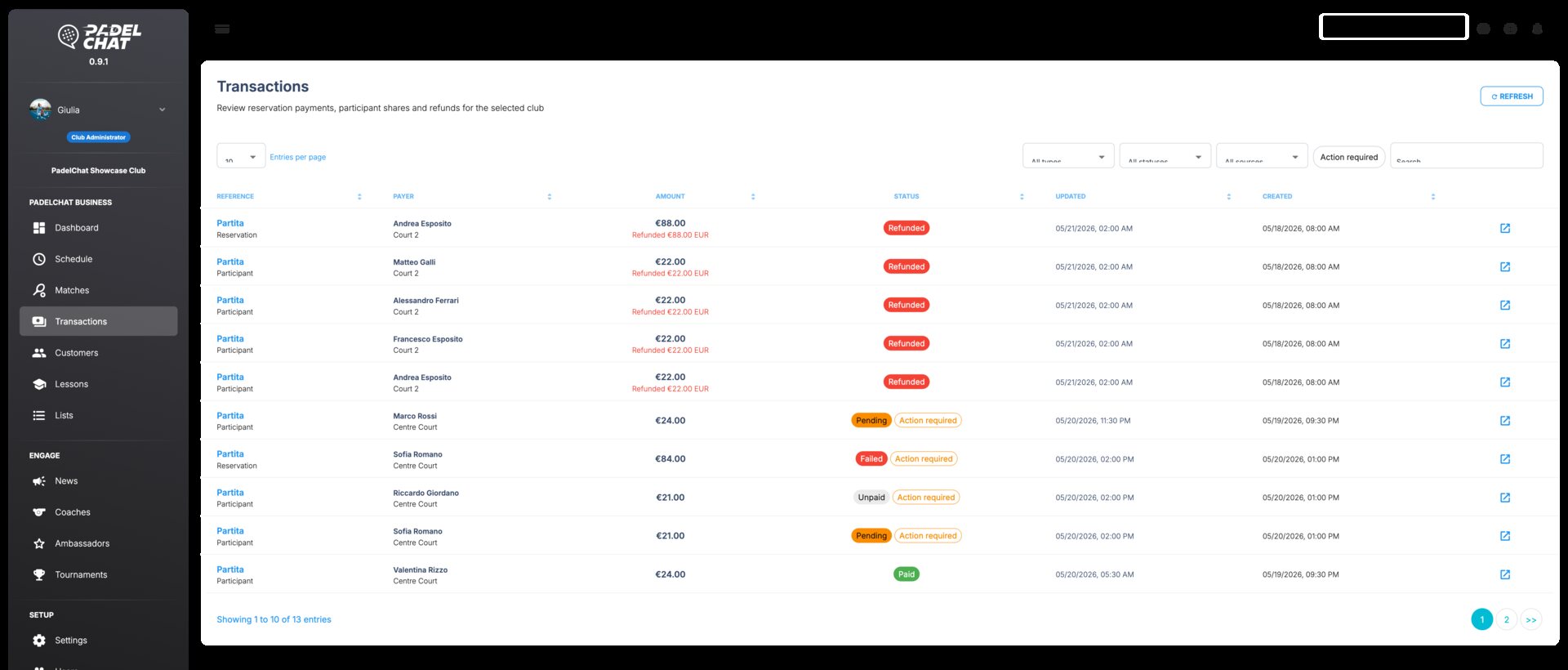
Payments, refunds, and Stripe - Transactions
Payments, refunds, and Stripe
Transactions
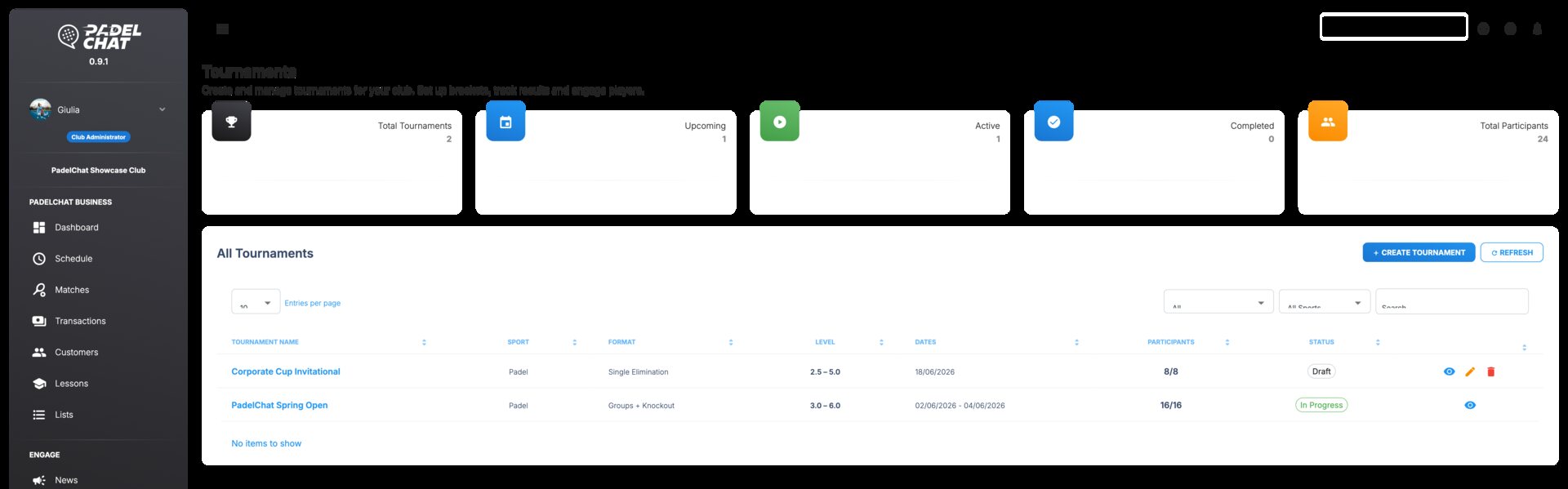
Tournaments and events - Tournament list
Tournaments and events
Tournament list
The sections below show the actual screens available in Business Manager, with the core workflows and views each section supports.

Discover Business Manager

Manage your club's full operation through dedicated sections. Explore them and go deeper to learn how PadelChat works on the club side.

Operations dashboard

Free
Included in the Free plan.

Track courts, occupancy, alerts, and open tasks from the daily control view.

The operations dashboard gives managers an immediate view of court usage, booking pressure, pending issues, and anything that needs intervention before the day gets busy.

  • Daily KPIs for bookings, occupancy, and open issues.
  • Fast access to court availability, alerts, and team actions.
  • A clearer starting point for busy front-desk workflows.
See section details
Operations dashboard - Dashboard overview
Operations view
Dashboard overview
Available views
Dashboard overviewGeneral settingsVenue profileCourt setupHoliday closures

KPIs, schedule status, occupancy snapshot, and staff follow-up blocks.
Bookings and calendar

Free
Included in the Free plan.

Control the live court calendar, reservation changes, and availability from one schedule.

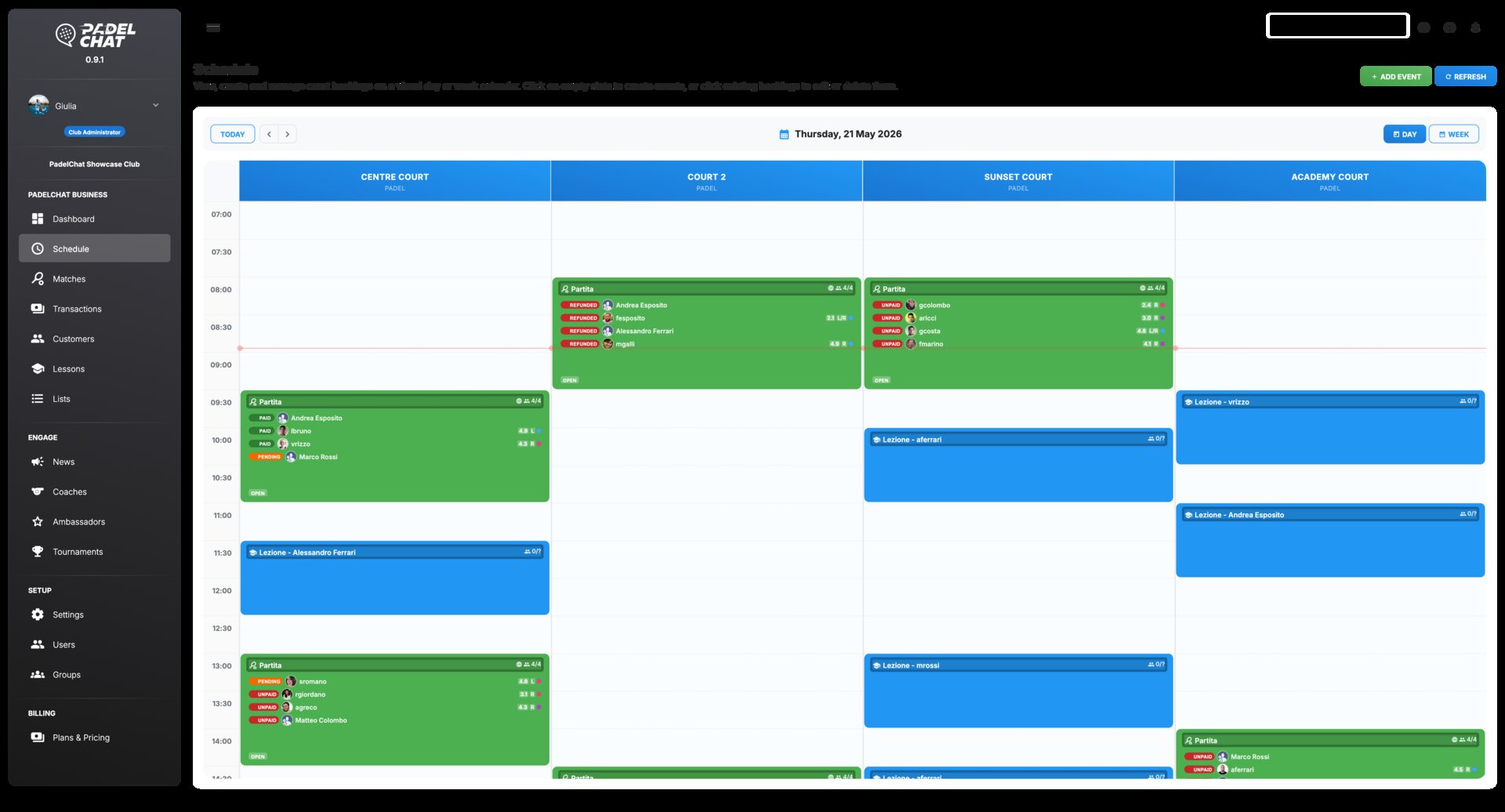
The bookings section manages the live timetable: reservations, open slots, blocked hours, court availability, and weekly schedule updates.

  • Calendar-first control of court slots and availability windows.
  • Reservation handling for day-to-day club activity.
  • A cleaner way to resolve conflicts and last-minute updates.
See section details
Bookings and calendar - Court schedule
Booking calendar
Court schedule
Available views
Court scheduleReservations and matches

Time slots, court labels, drag targets, and booking-side context panels.

Payments, refunds, and Stripe

Pro
Available on the Pro plan and above.

Collect payments, monitor status, and process refunds from one payments workspace.

Stripe is connected directly to the club workflow so staff can track collections, confirm payment state, and handle refunds without leaving Business Manager.

* In the future we may introduce commissions for additional optional services, never for basic booking payments.

  • Direct in-app payments for courts, bookings, and club collections.
  • Refund handling from the same operational flow when something changes.
  • No PadelChat commission on basic booking payments.
See section details
Payments, refunds, and Stripe - Transactions
Payments workspace
Transactions
Available views
TransactionsPayment settingsPricing rules

Checkout states, settlement panels, refund actions, and payment status blocks.

Members and customer lists

Pro
Available on the Pro plan and above.

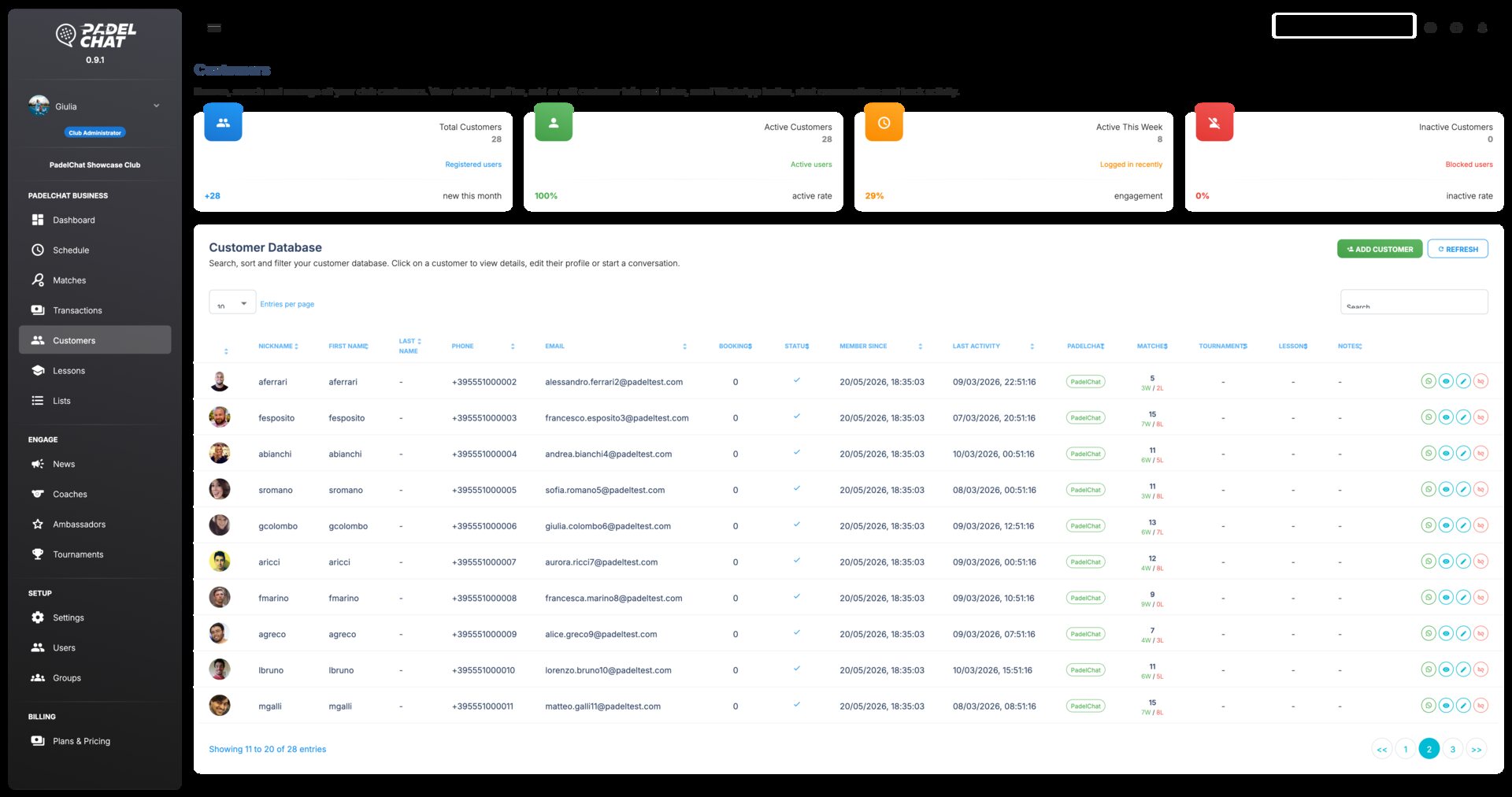
Manage customer records, lists, and segmentation from the club CRM layer.

The members section keeps player profiles, saved lists, and club context organized so staff can follow up, support customers, and target communication with precision.

  • Player records with the context needed for club-side follow-up.
  • Reusable lists for campaigns, classes, and recurring groups.
  • Faster filtering when you need the right customers quickly.
See section details
Members and customer lists - Customer directory
Member workspace
Customer directory
Available views
Customer directoryCustomer lists

Search, segmentation, quick filters, and reusable list management blocks.

Coaches and lessons

Pro
Available on the Pro plan and above.

Coordinate coaches, lesson programs, capacity, and training visibility.

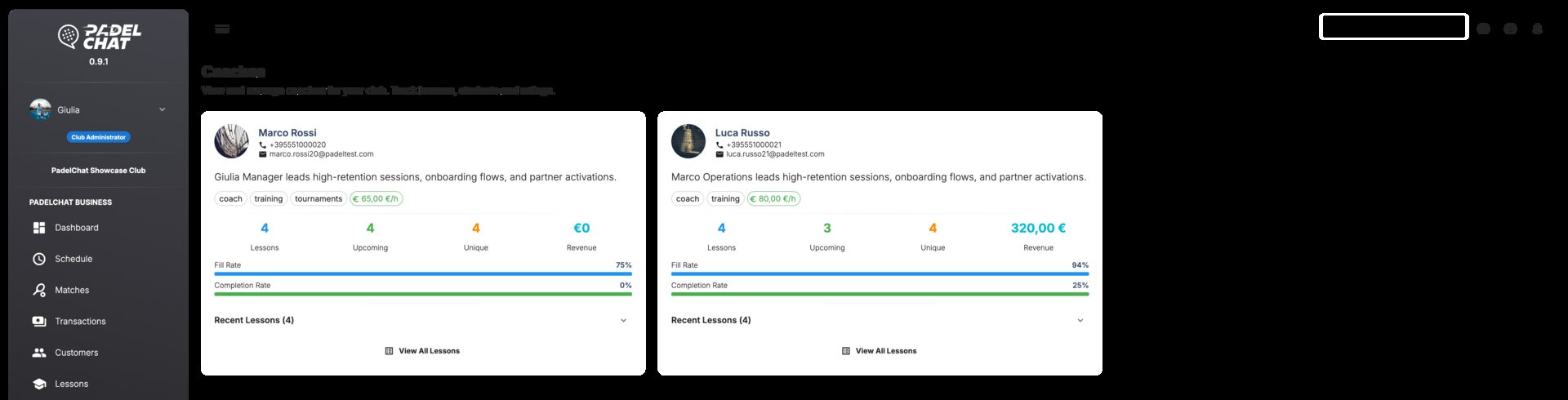
The coaching section keeps the roster, lesson catalog, schedule structure, and coach assignments aligned in one place.

  • Coach presentation and internal organization in one place.
  • Lesson setup for recurring training activity and schedules.
  • Better visibility for training offers inside the club ecosystem.
See section details
Coaches and lessons - Coach roster
Training setup
Coach roster
Available views
Coach rosterLesson programs

Coach cards, lesson slots, assignment states, and training offer summaries.

Tournaments and events

Elite
Available on the Elite plan.

Manage tournament formats, participants, standings, brackets, and event operations.

The tournaments section consolidates the controls required to launch, run, and monitor structured competitions without splitting event management across separate tools.

  • Tournament setup that supports brackets, groups, and rounds.
  • Scheduling context for event-heavy operational days.
  • A better home for competition flows than generic booking tools alone.
See section details
Tournaments and events - Tournament list
Competition setup
Tournament list
Available views
Tournament listEvent overviewParticipantsStandingsBrackets

Draw structure, round progression, court assignment, and event checkpoints.

News, ambassadors, and promotion

Pro / Elite
Core tools start in Pro. Advanced growth and team controls unlock in Elite.

Publish club news, coordinate ambassadors, and manage promotional output.

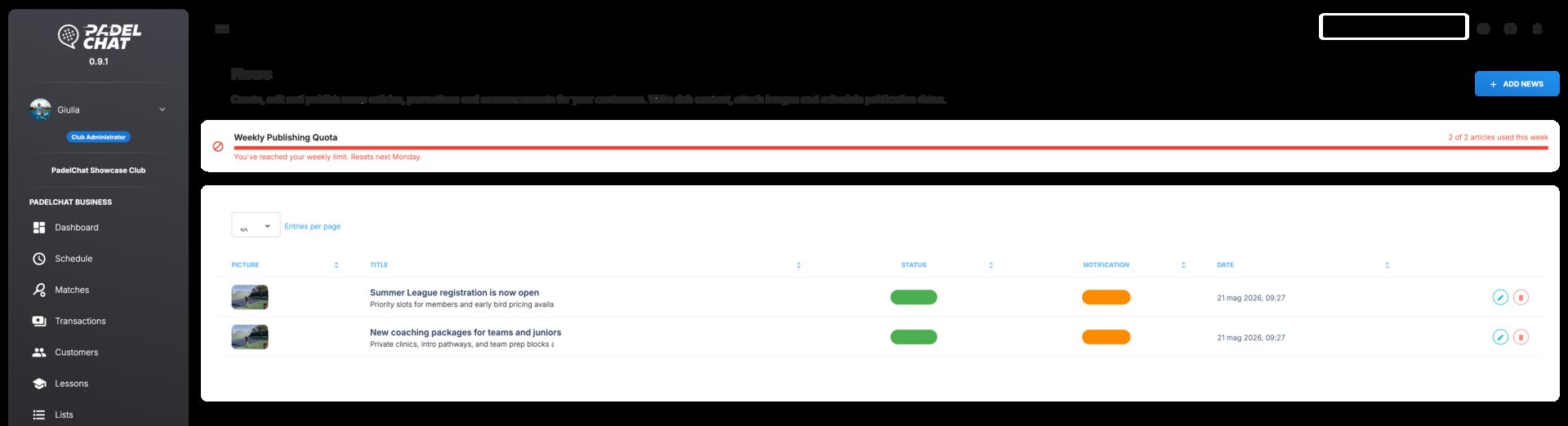
The communications section gives the club one place to manage public updates, ambassador activity, and outbound messaging inside PadelChat.

  • Club news tools for regular announcements and updates.
  • Ambassador coordination for local reach and community activity.
  • A single place to organize outward-facing club communication.
See section details
News, ambassadors, and promotion - Club news
Communication studio
Club news
Available views
Club newsAmbassador program

Post drafts, publishing states, reach blocks, and community coordination placeholders.

Team, roles, and permissions

Elite
Available on the Elite plan.

Set staff access, roles, groups, and permissions with clear governance.

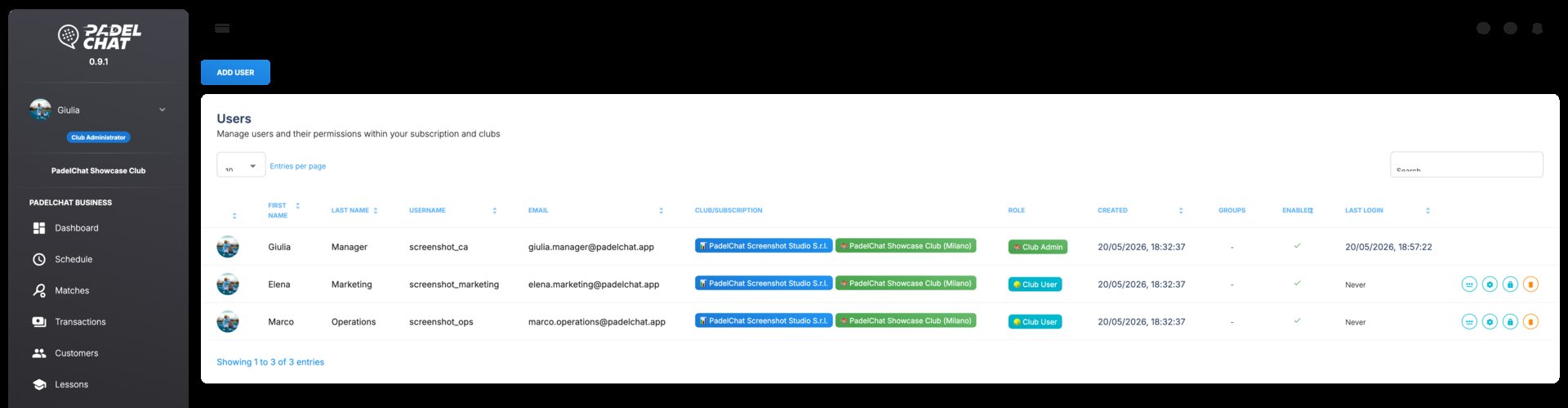
The team section defines how staff accounts, reusable groups, and permission boundaries are structured so the club can operate securely at scale.

  • Staff accounts with clearer access boundaries.
  • Role and group management for operational delegation.
  • Permission structure that scales beyond a single manager login.
See section details
Team, roles, and permissions - Users and permissions
Access control
Users and permissions
Available views
Users and permissions

User cards, role chips, group assignments, and permission review placeholders.